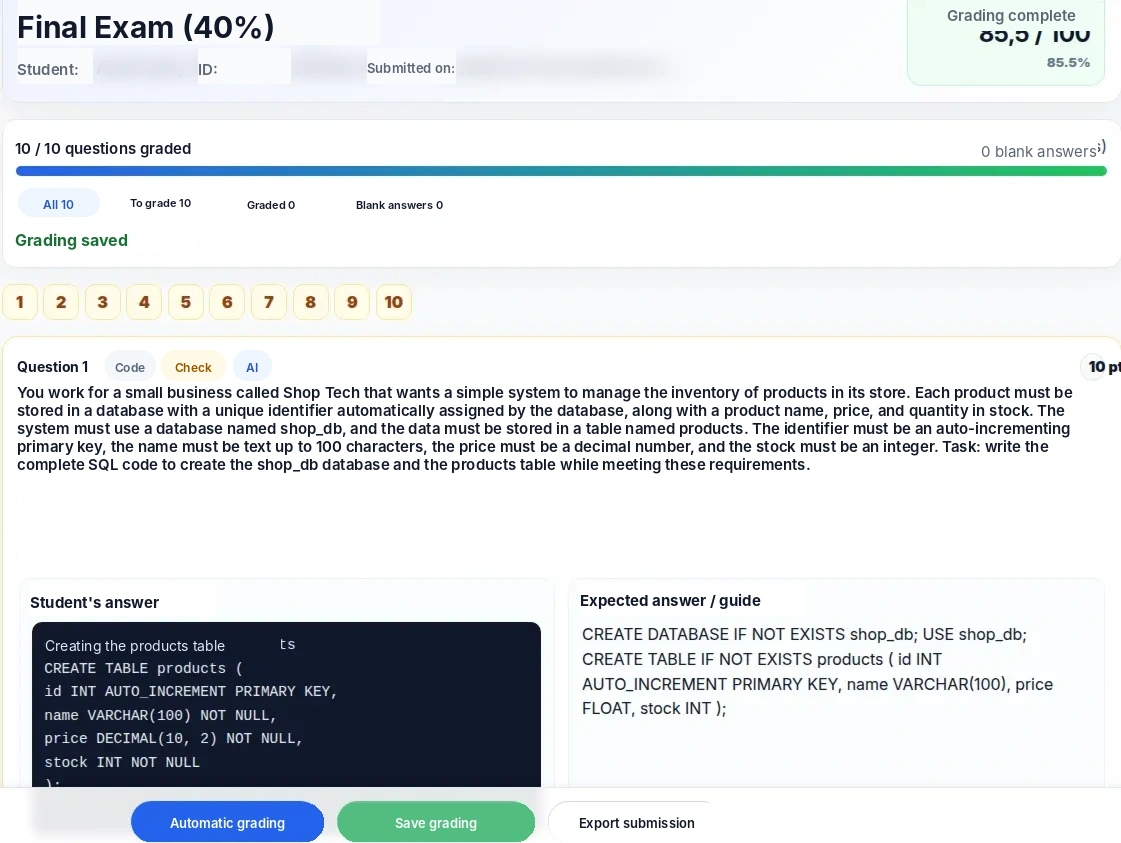
Grade with AI. Keep the final say.
Nabunam reviews each response in context, proposes a grade, and lets you validate or adjust the result before saving it.

NABUNAM
Turn your ideas and documents into teaching materials with Nabunam.
Pro plan trial. After the trial: CA$49/month, plus applicable taxes, when you activate your paid subscription.
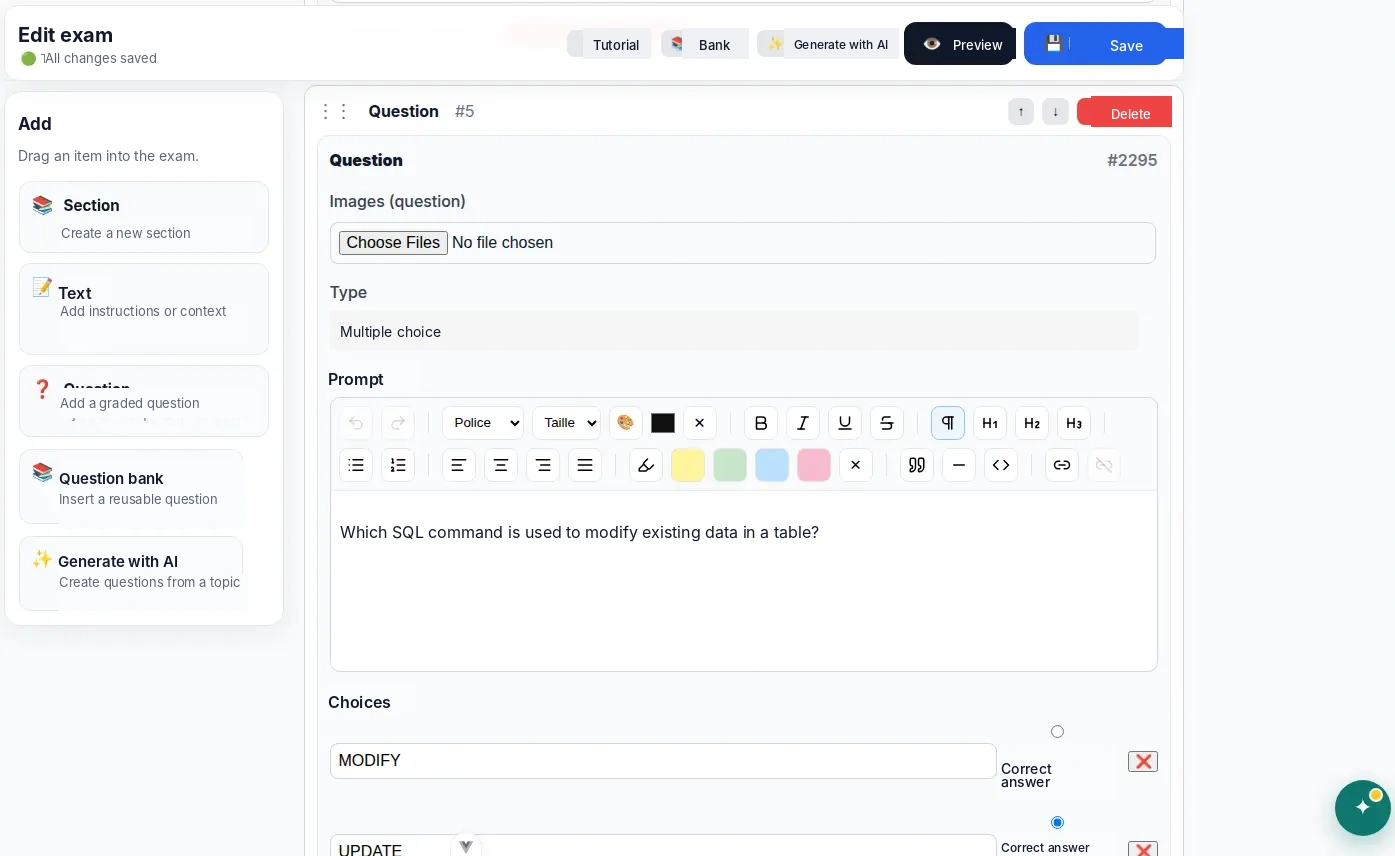
Edit questions, answers and grading criteria in one workspace.
Connection interrupted. Your input is preserved; retry when your connection returns.
One complete platform
From content creation and AI-assisted grading to student progress and results, everything stays in one environment.
Nabunam reviews each response in context, proposes a grade, and lets you validate or adjust the result before saving it.
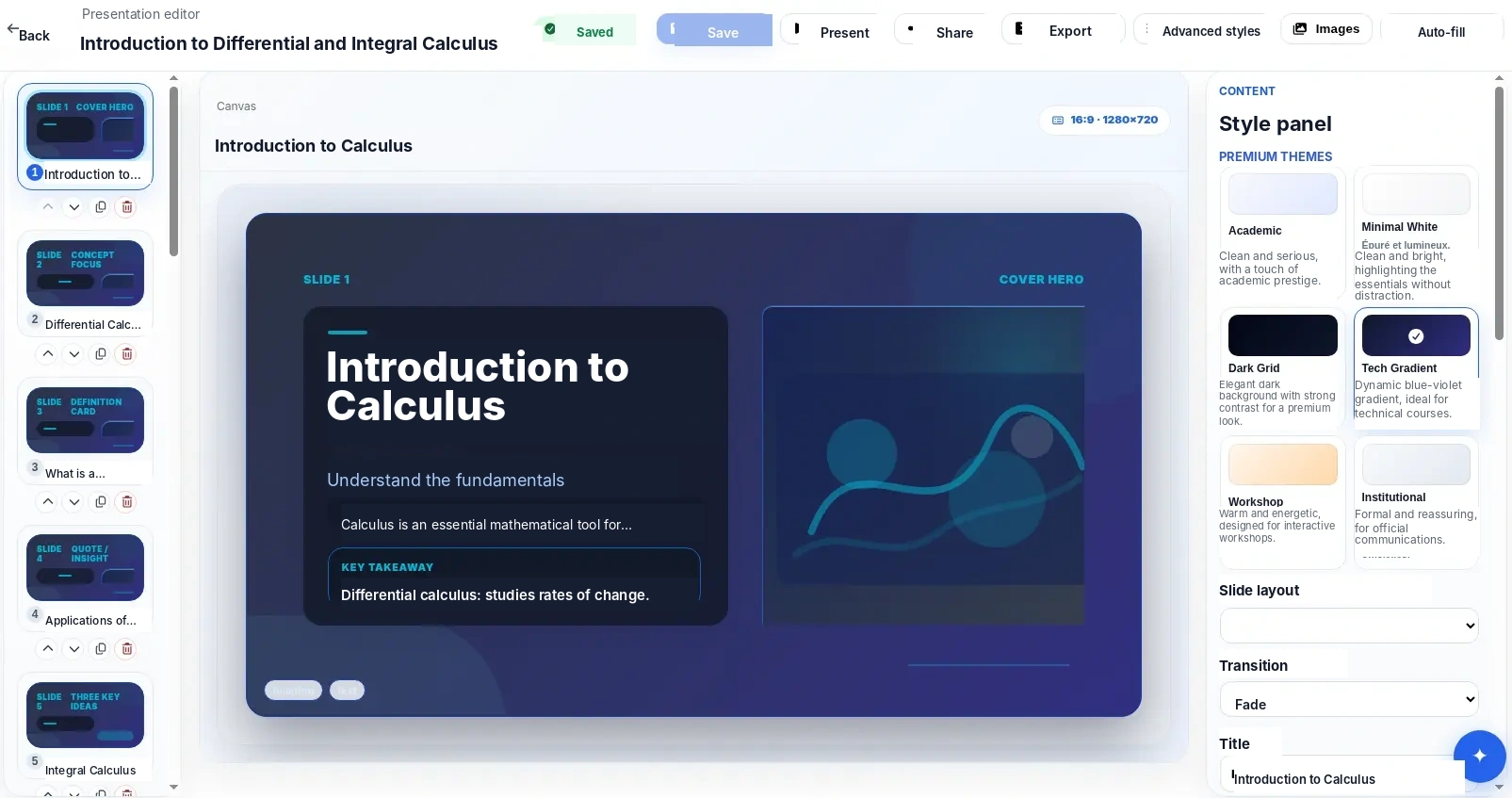
Build editable teaching presentations directly in Nabunam.
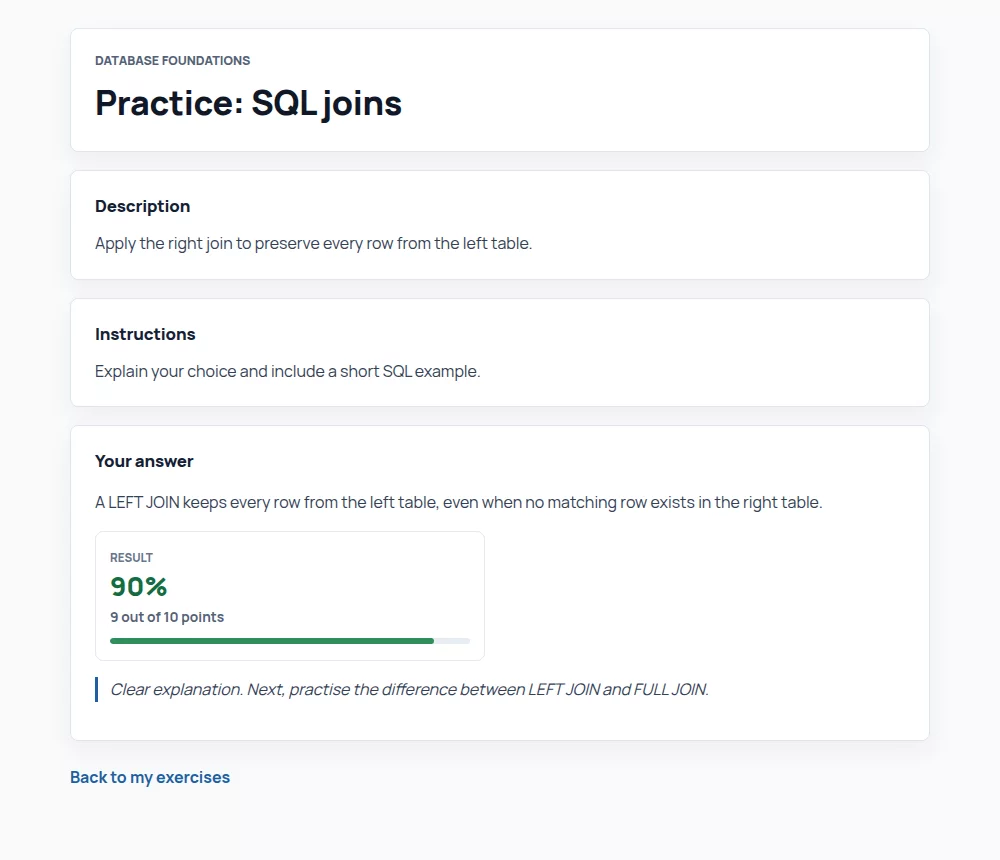
Exercises, progress, and feedback come together in each student's own learning space.
Keep submissions, results, and tracking tools in the same workflow.
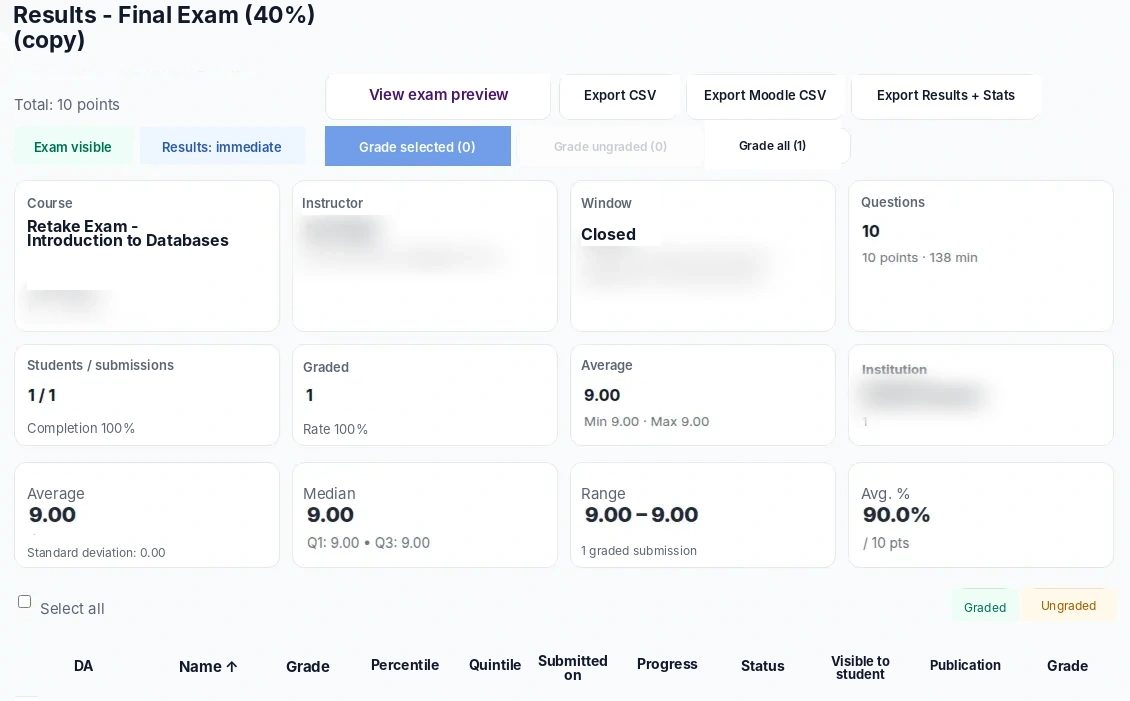
For educators
Bring courses, documents, and assessments together, reuse your content, and keep student follow-up connected to the work already done.
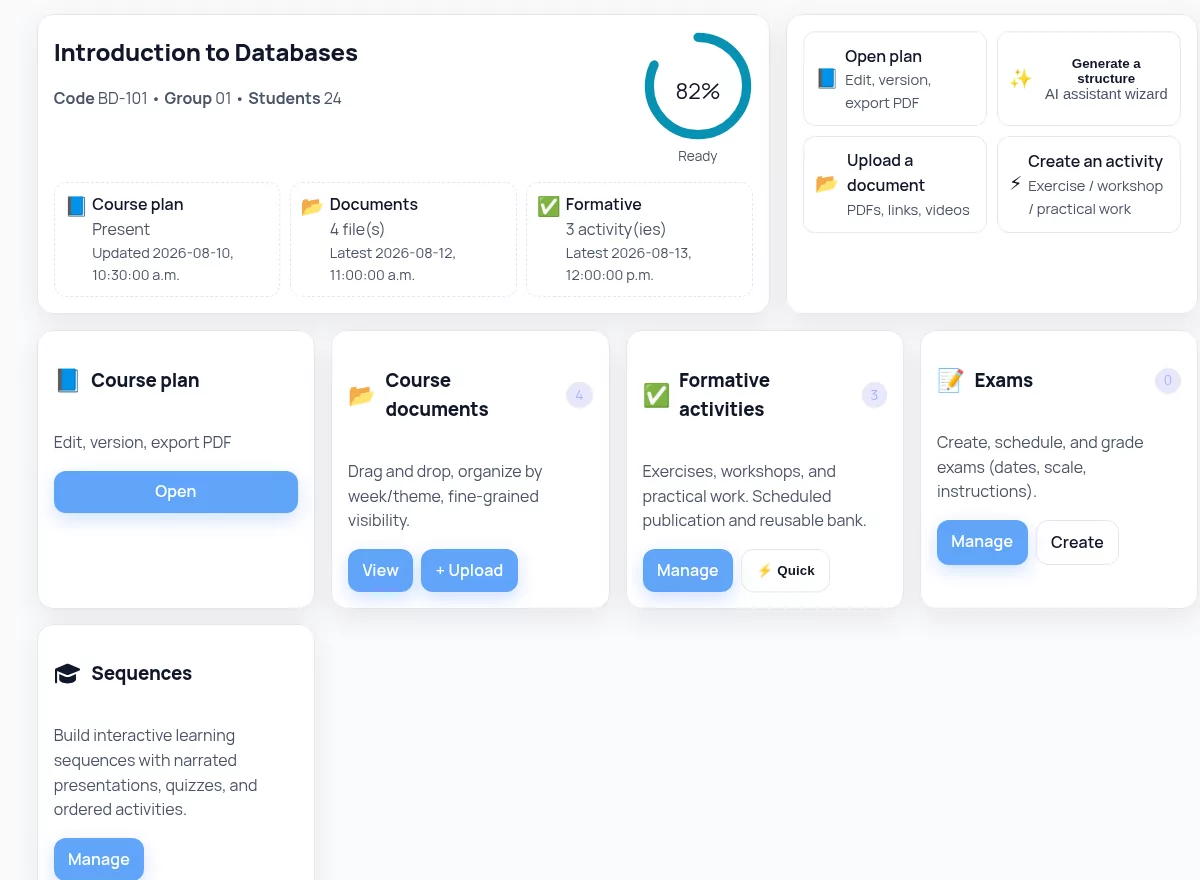
Documents, activities, assessments, and students stay organized around the same teaching context.
Reuse existing questions, assessments, and resources to prepare what comes next more efficiently.
Preparation, assessments, responses, and follow-up stay connected in a structured workflow.
For institutions
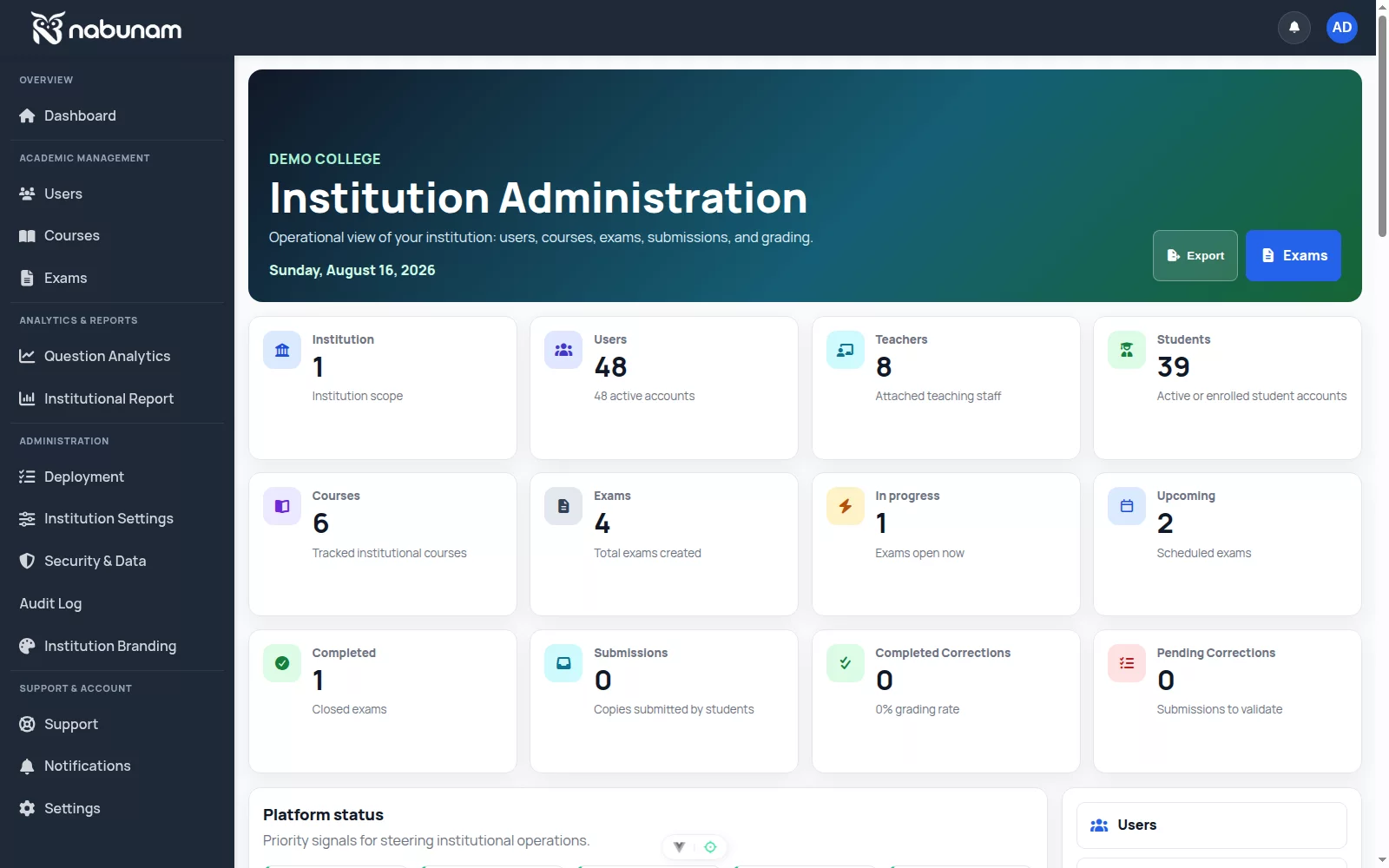
Manage access, define how AI can be used, and oversee the Nabunam rollout from one environment.
Import users, courses, and enrollments, assign roles, and manage access from one environment.
Choose which Nabunam AI features are available, manage notices and consent, and review recorded usage.
Review courses, assessments, results, and authorized usage, then export the data needed for institutional oversight.
Access on request
A space to offer non-credit training, welcome participants and track payments, with or without online courses.
Explore →Nabunam Assistant
Within a course or assessment, the Assistant uses authorized context to suggest the next step and prepare structured work.
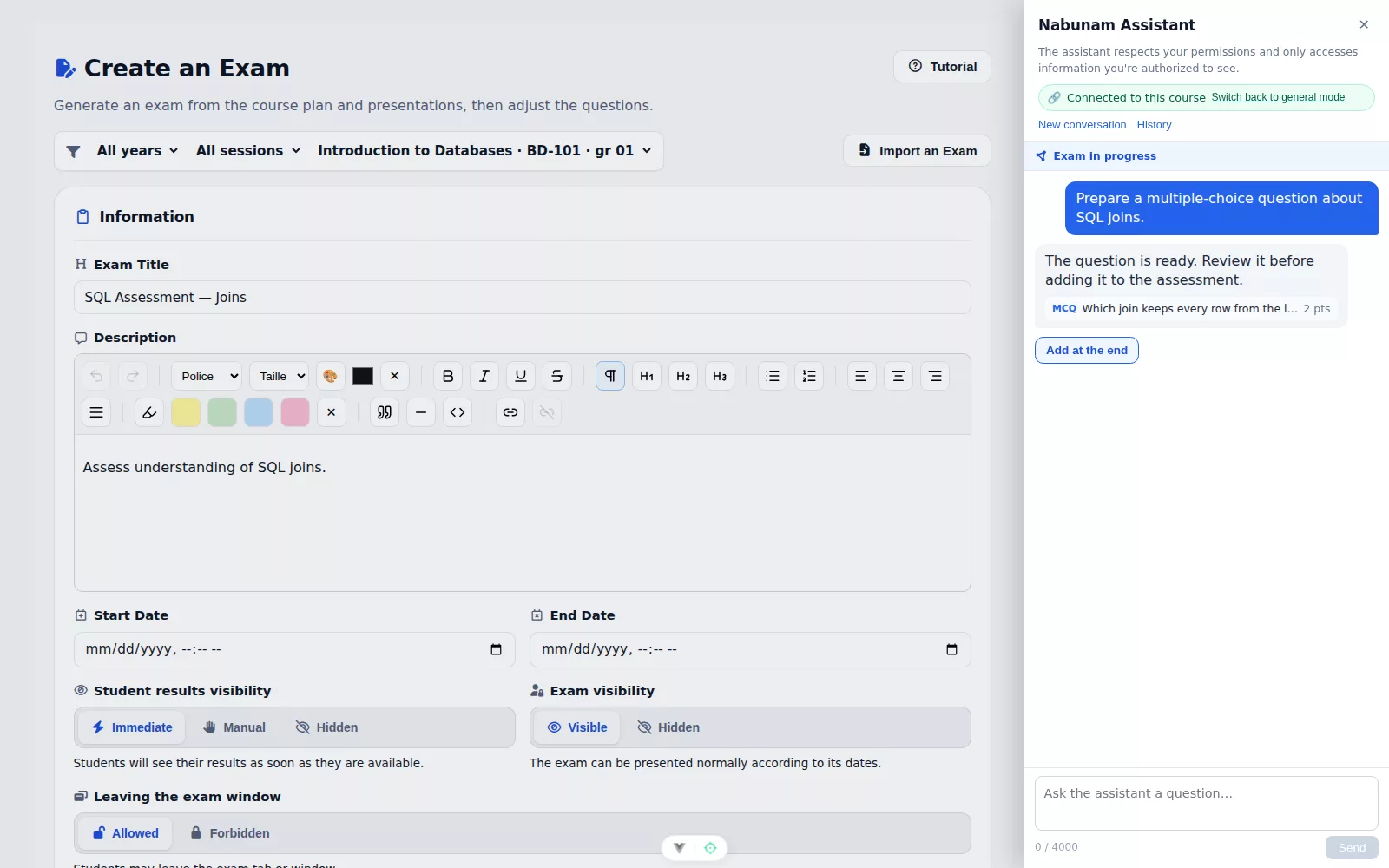
The Assistant uses only the authorized course or assessment context when available.
The Assistant can prepare settings or questions directly within the real assessment creation workflow.
Important steps remain reviewable before they are saved or executed.
For students
Active courses, upcoming work, assessments, and available results stay together so students can move forward without losing context.

Priorities, exercises, and upcoming assessments stay visible in one place.
Courses, lessons, activities, and learning sequences stay connected so students can pick up where they left off.
When results are released, students can return to available corrections and feedback in the same environment.
Trust and compliance
Privacy practices, access controls, and provider categories are documented to support your review.
Data categories, retention principles, and procedures for exercising privacy rights are published.
Review our privacy policyAccess to resources is controlled according to role, institution, and applicable permissions.
Review our compliance and security practicesNabunam publishes provider categories, primary processing regions, and applicable transfer mechanisms.
View providers and processing regionsPricing
Choose Essential or Pro for your teaching practice, or explore an offering tailored to institutional deployment.
For educators
CA$19 per month
For educators
CA$49 per month
For institutional teams and deployments
Custom pricing
Nabunam provides group management, administration and a training catalogue. Request a demonstration in the institutions section.
Text PDF, DOCX, TXT or Markdown · 5 MB · 10 PDF pages · 20,000 characters. Text is imported without images.
Your next step
Start your Pro trial or request a demonstration tailored to your institution.
7-day free trial